
Tasks
Plan the day, follow the project
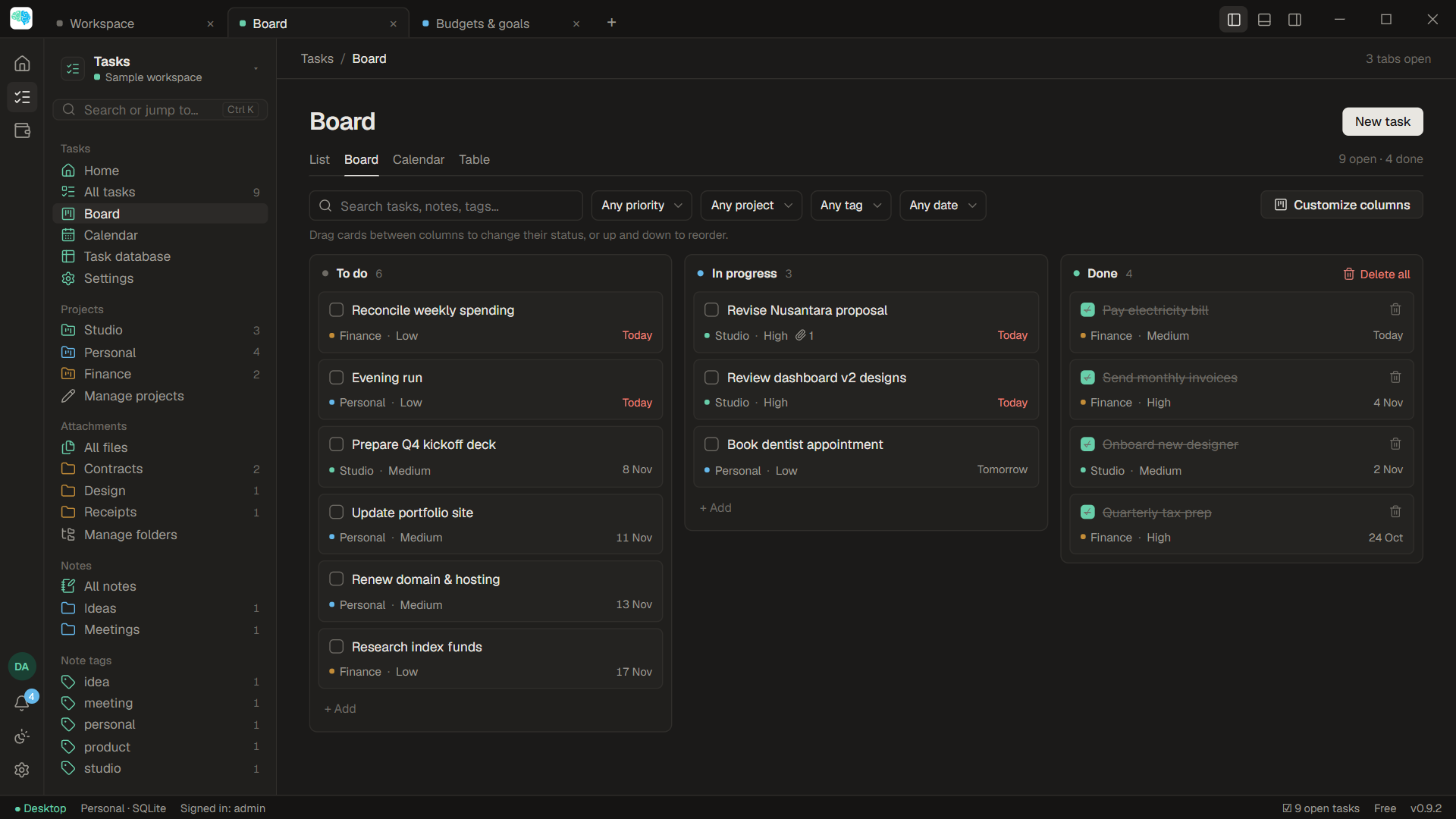
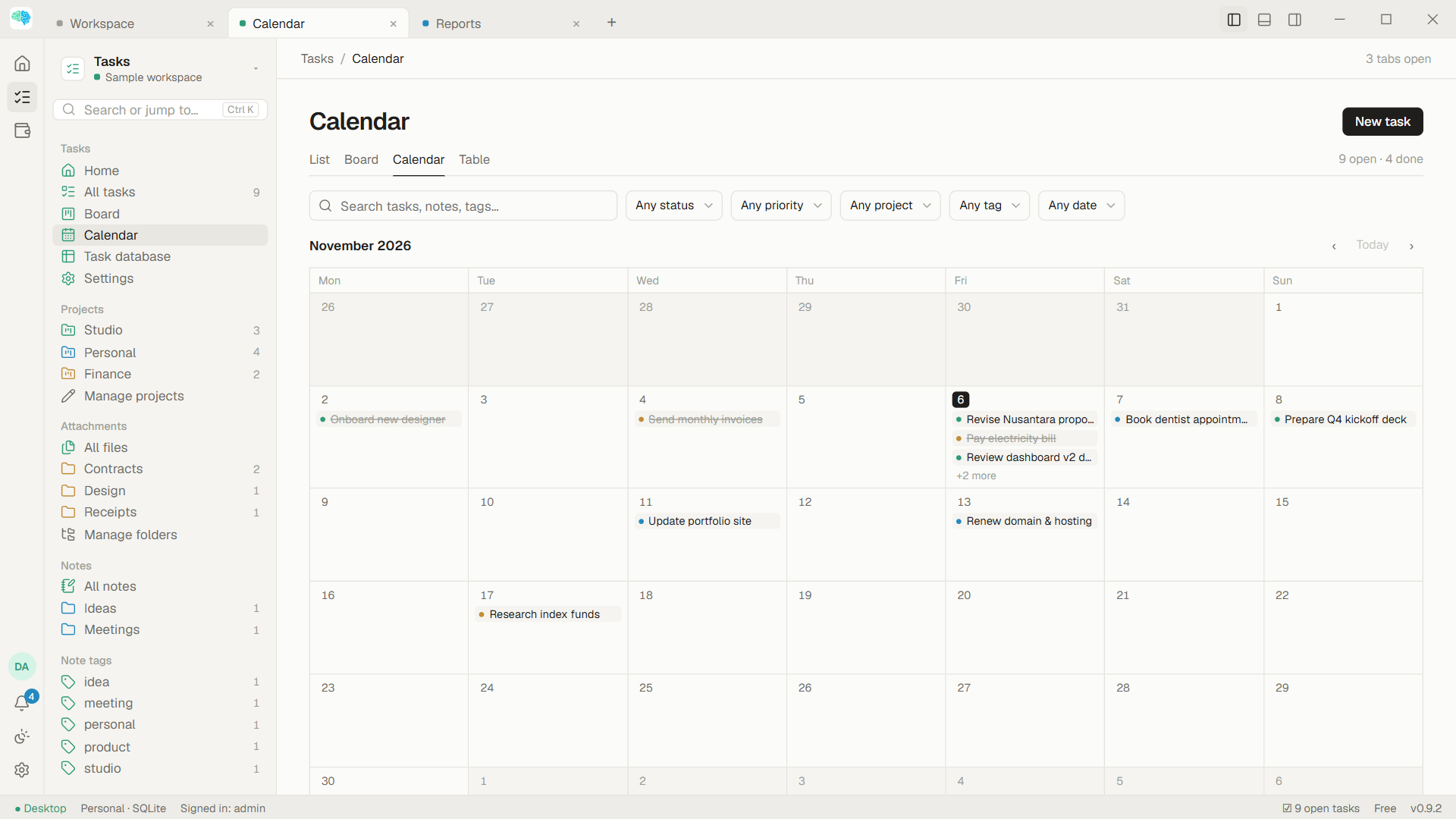
See your work as a list, a board, a calendar or a table. Switch views without losing your place.
- Reminders and repeating tasks
- Board columns per project
- Files and notes on every task
A desktop app for Windows
BrainsResult brings tasks, notes, files and finances together, for yourself or a small team. No account, no ads, no tracking.
Version 0.9.2 beta · Windows 10 and 11 · the Free edition has no time limit
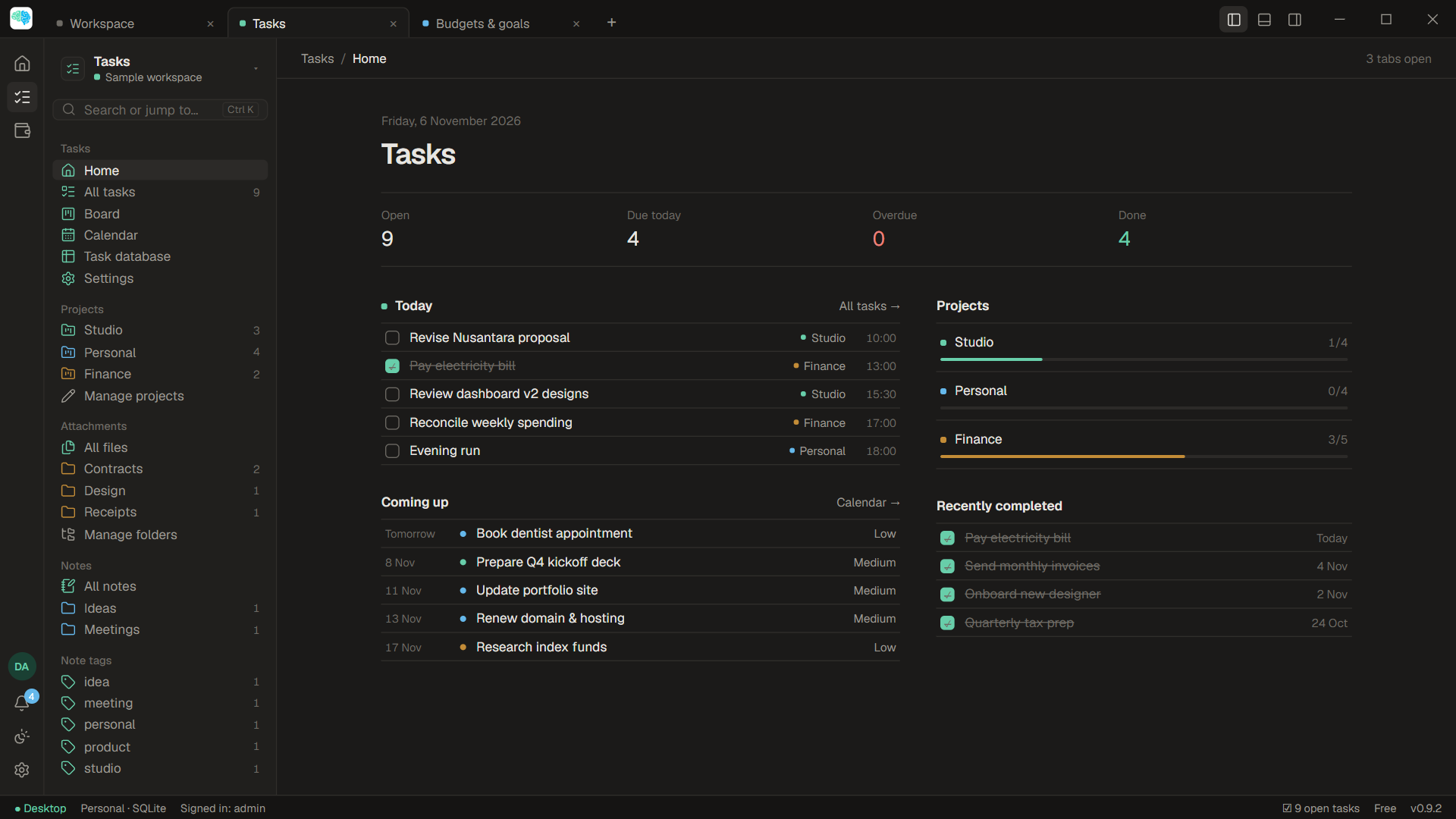
Four tools, one window
Tasks
See your work as a list, a board, a calendar or a table. Switch views without losing your place.
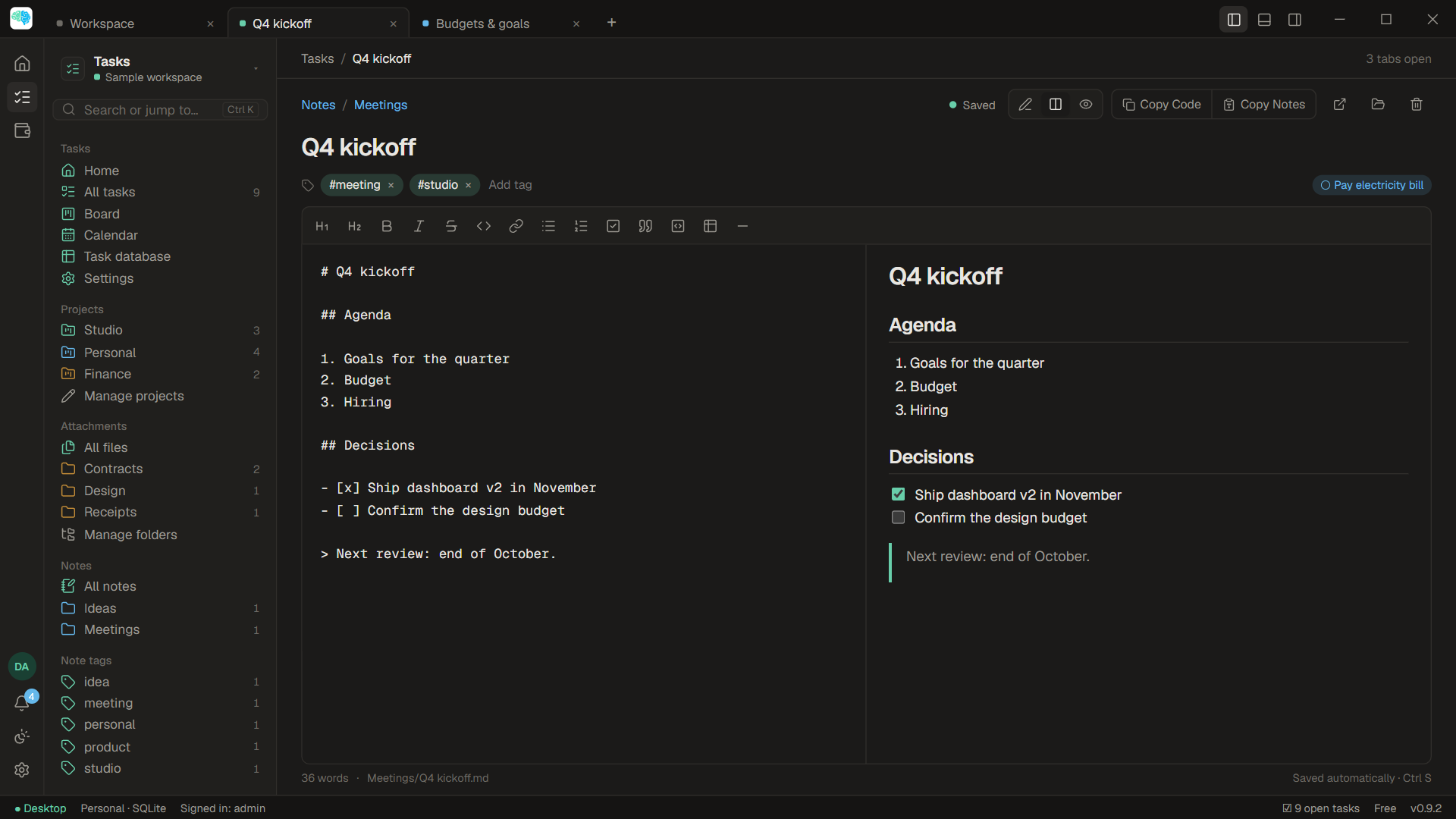
Notes
Write with a live preview. Every note is an ordinary .md file in a folder you can open in Explorer.
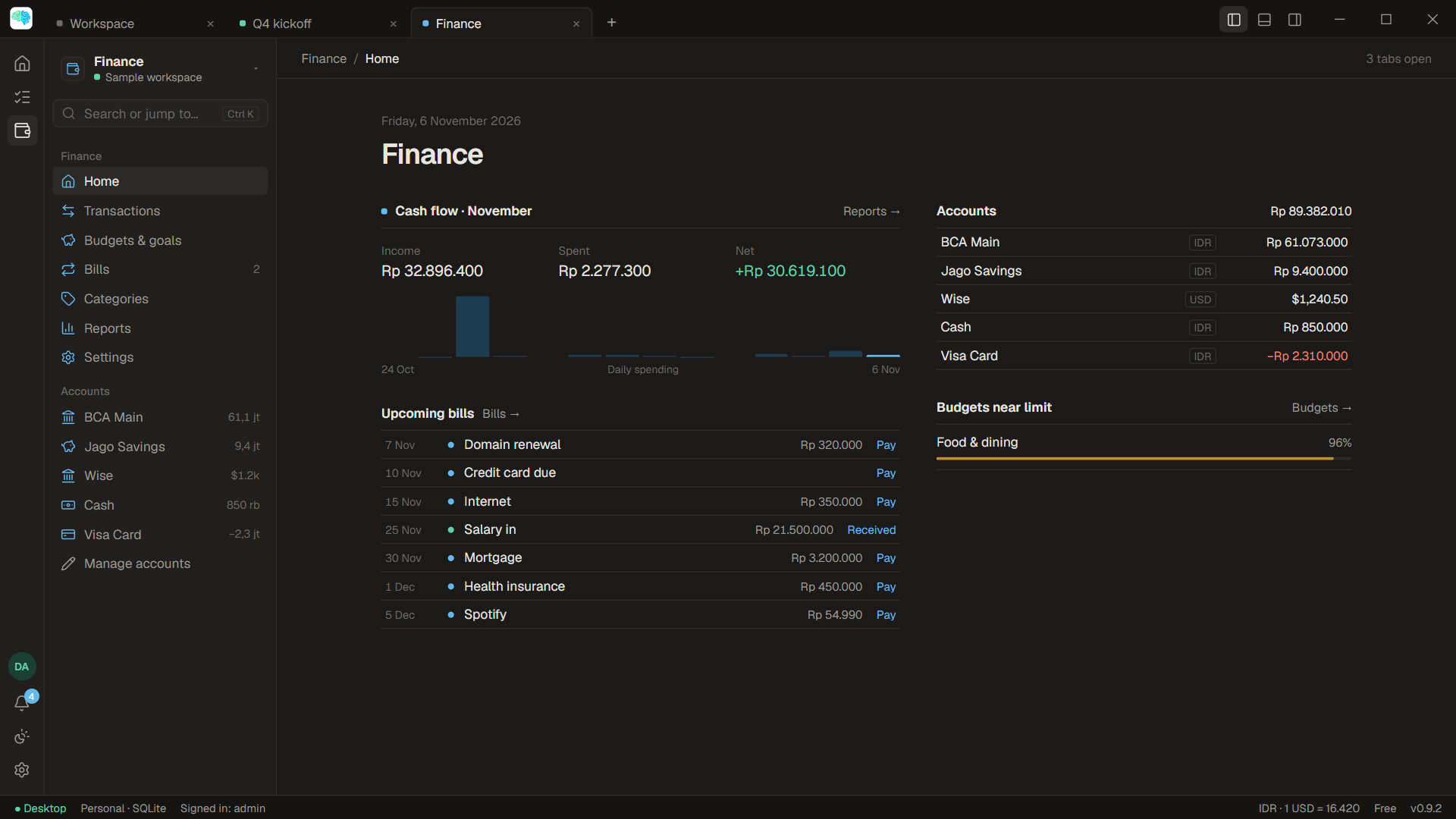
Finance
Record transactions in several currencies, set budgets and goals, and see where the money goes.
Files
Attachments live in ordinary folders: on your computer, a network folder, S3 or WebDAV. No closed format.
workspaces/personal/attachments/
├─ Projects/
│  └─ Website launch/
│     ├─ brief.pdf
│     ├─ logo-final.png
│     └─ timeline.xlsx
├─ Tasks/
│  └─ Q4 kickoff/
│     └─ agenda.md
└─ Receipts/
   └─ 2026-11-hosting.pdf
Your data
BrainsResult has no server for your data. What you write stays on your computer, or on a database server you run yourself.
For small teams
Connect several computers to one MySQL server you manage. Workspaces, tasks and files are shared, with accounts and access per person.
Pricing
The Free edition includes Tasks, Notes, Files, Finance and backups. Pro starts at Rp59.000 a month, Team at Rp349.000 a month.
Compare plansInstalling takes a few minutes, and the first-run wizard can create a sample workspace.
Download free